
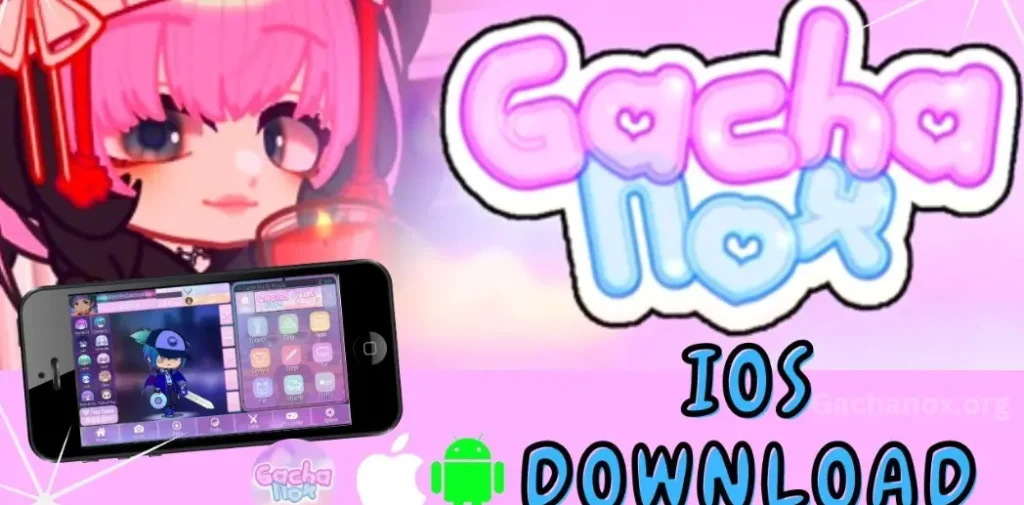
Step into the vibrant world of Gacha Nox, a creative reimagining of Gacha Club designed especially for iOS users. This festive edition, released as a Christmas gift to the passionate Gacha community, elevates the experience with exclusive features, an expanded character customizer, and a rich, immersive storyline.
Gacha Nox iOS builds on the core of Gacha Club, introducing fresh content that pushes creativity further. Players can personalize their avatars like never before—think more hairstyles, unique accessories, themed outfits, and smoother animations. It’s a visual upgrade paired with a narrative twist that centers on Noxula, a mysterious new character navigating the trials and triumphs of the Gacha world.
Whether you’re a longtime fan or just getting started, Gacha Nox offers a fresh layer of excitement. Now let’s walk through how to download and install Gacha Nox on your iPhone so you can jump straight into the action.
What are the Gacha Nox?
Modded Gacha Game:
Gacha Nox is not an official release by Lunime (the creators of Gacha Club). It’s a mod—a modified version created by fans, usually available through third-party downloads.
Expanded Customization:
Gacha Nox offers more hairstyles, outfits, accessories, backgrounds, and special effects. It pushes the visual style further, allowing for more detailed avatar creation.
Unique Characters & Lore:
It introduces new characters—most notably Noxula, a central figure in the game’s custom storyline. The mod blends storytelling with gameplay, creating a more immersive experience.
Seasonal Themes (e.g., Christmas Edition):
Some versions of Gacha Nox, like the Christmas edition, come with seasonal content—holiday outfits, winter-themed backgrounds, and festive events.
For the Creative Community:
The mod is popular among Gacha content creators who use it for videos, edits, storytelling, and roleplay, thanks to its enhanced visual features and customization.
How To Get Gacha Nox For iOS?
1. Download AltServer and AltStore
- On your Mac, download and install AltServer from the official AltStore website.
- On your iPhone, install the AltStore app (you’ll do this via AltServer).
2. Set Up AltStore
- Launch AltServer on your Mac and keep it running in the background.
- Connect your iPhone to your Mac with a USB cable.
- Make sure both devices are on the same Wi-Fi network.
- Use AltServer to install AltStore onto your iPhone.
3. Download the Gacha Nox IPA
- Find and download the latest IPA file for Gacha Nox from a trusted source. Save it to a location you can easily access from your iPhone (e.g., Files app or iCloud Drive).
4. Install the IPA via AltStore
- Open the AltStore app on your iPhone.
- Tap the “+” icon in the upper-left corner.
- Navigate to where you saved the Gacha Nox IPA file and select it.
- The app will prompt you to enter your Apple ID and password (only required the first time you use AltStore).
- AltStore will begin installing Gacha Nox. This might take a minute or two.
5. Launch the Game
- Once installed, Gacha Nox will appear in both your AltStore “My Apps” tab and on your iPhone’s home screen.
- Tap the icon to launch the game and start exploring!
✅ You’re Ready to Play
That’s it—you’ve successfully installed Gacha Nox on your iOS device without using the App Store. Now you can enjoy the enhanced customization, exclusive features, and immersive storyline this fan-made mod has to offer.
Just remember to re-sign the app every 7 days using AltStore (unless you have a paid Apple developer account). AltStore will notify you when it’s time.
Features Of Gacha Nox iOS
1. Expanded Character Customization
- Hundreds of new hairstyles, outfits, accessories, and color palettes
- More expressive eye styles, poses, and facial features
- Detailed layer controls for fine-tuning every aspect of your character’s appearance
2. Exclusive MOD Content
- Brand-new characters including Noxula, who comes with a custom backstory and role in the Gacha universe
- Seasonal updates like Christmas themes, festive costumes, and winter scenery
3. Improved User Interface
- Smoother navigation and a cleaner UI optimized for iOS screens
- Organized menus and quicker access to customization tools
4. Enhanced Studio Mode
- Access to new backgrounds, props, and foreground elements
- More visual effects (sparkles, glows, shadows) for storytelling and video content creation
- Higher resolution export options for clean visuals in edits and Gacha videos
5. Offline Support
- Play and create without needing a constant internet connection
- Saves automatically to your device for easy access
6. Custom Animations & Poses
- New preset animations and expressive poses not available in the original Gacha Club
- Ideal for TikTok, YouTube, or storytelling edits
7. Performance Optimized for iOS
- Runs smoothly on iPhones with minimal lag
- Compatible with most recent iOS versions (iOS 14 and above recommended)
🎨 Why Choose Gacha Nox iOS?
If you’re into storytelling, content creation, or simply want more control over your Gacha characters, Gacha Nox iOS opens up a world of possibilities. It’s everything you love about Gacha Club—but more creative, more expressive, and tailored for mobile artists and fans.
Ready to create your dream character or bring your original Gacha story to life? Gacha Nox has the tools to make it happen.
Frequently Asked Questions
What is Gacha Nox?
Gacha Nox is a modded version of Gacha Club, developed by fans of the Gacha community. It offers expanded character customization, exclusive assets, and new story elements—especially designed for creators and roleplay enthusiasts.
Can I Download Gacha Nox from the App Store?
No. Since Gacha Nox is a third-party mod, it’s not available on the Apple App Store. You’ll need to use a trusted third-party installer like AltStore to download and install it on your iPhone.
Is Gacha Nox Safe to Use on iOS?
Yes—if downloaded from a trusted source. Always avoid unofficial or suspicious download links. Stick to well-known Gacha communities or the developer’s official pages. Use AltStore for the safest installation process.
What is AltStore and Why Do I Need It?
AltStore is a third-party app installer for iOS that allows you to sideload unofficial apps like Gacha Nox. Since Apple doesn’t permit modded games on the App Store, AltStore acts as a secure workaround.
Do I Need a Computer to Install Gacha Nox?
Yes. You’ll need a Mac or Windows PC to set up AltServer and install Gacha Nox via AltStore on your iPhone. This step is required to load the IPA file onto your device.
Will I Need My Apple ID?
Yes, AltStore requires your Apple ID and password to sign the app certificate. It’s safe and only used locally to allow app installation. You can also create a secondary Apple ID just for this purpose.
How Often Do I Need to Reinstall or Re-Sign Gacha Nox?
If you’re using a free Apple developer account, you’ll need to re-sign the app every 7 days. AltStore makes this easy and will remind you when it’s time.
Does Gacha Nox Work Offline?
Yes. Once installed, Gacha Nox works completely offline. No internet connection is needed to play or create.
Conclusion
Gacha Nox for iOS is more than just a mod—it’s a creative expansion of the Gacha universe, built by fans who wanted more freedom, more style, and more storytelling potential. With its enhanced customization, exclusive assets, and fresh storyline, Gacha Nox gives iOS users a way to unlock their full creative potential.
While it’s not available through the App Store, using a safe method like AltStore makes it possible to enjoy this fan-favorite MOD on your iPhone. Whether you’re creating original characters, making Gacha videos, or diving into new lore with Noxula, Gacha Nox gives you the tools to bring your imagination to life.

